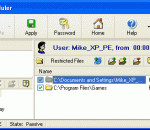
Safer Work activates computer protection through whitelisting. Safer Work enables Windows software restriction policies. These restrictions prevent the execution of all programs that are not on a whitelist. This allows the PC hardware to be used primarily for its original task: to execute desired software. Therefore, Safer Work is ideal for all Windows computers that are used, in companies, in schools and of course at home on the private computer
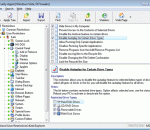
Desktop security solution for personal or publicly accessible computers. It disallows unauthorized changes to various settings of the Windows system, such as Control Panel, Desktop, Local Security Policies, Outlook Express account settings, etc. Disable access to local hard disks, Floppy, CDROM, and removable drives or make them read-only. By locking and hiding or making read-only of programs, files, and folders.
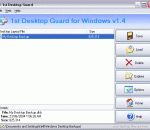
Tired to lose your desktop icons and get them rearranged? Tired to roll back your desktop wallpaper and screen saver after other users you share your PC with? Want to secure your public access computers? 1st Desktop Guard lets you save, restore, manage and lock desktop layouts including placement of desktop icons, wallpaper and screen saver.
Password-protect and hide your files and folders with a click of mouse. The program will always prompt to enter your access password when protection is enabled and a user is trying to access a protected file or folder. The protected file or folder will become accessible only is a valid password is entered. Windows Explorer integration is supported and upon installation the program creates convenient items in the context menu of Windows Explorer.
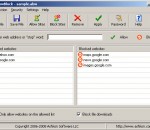
AllowBlock is a parental control software. Its internet content filter blocks or allows visiting selected websites in Internet Explorer. One may create two lists of websites: allowed and blocked. If a website is on allowed list then its contents are displayed in the browser, if not then the browser is forwarded to a blocked info page. Features include access and uninstall password protection.
Protect your files from being executed, viewed, changed and deleted. It will automatically enable a chosen protection based on currently logged-in user, current time and the schedule you specify. Disable Internet access, certain games and other software applications during certain periods of time (working hours, for example). Use different sets of applications in different time windows for different users.
Every time you're on the web, companies, ad networks, and social networks collect info about you. Everything from what you read, what you click, and what you buy is being monitored and stored. Now with Do Not Track Me (DNTMe), you can stop them.
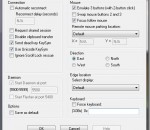
This program will let you use two screens on two different computers as if they were connected to the same computer. It even works between different operating systems. If you have two or more computers on your desk and you are tired of having several keyboards and mice around to control them, this is the program for you. While running this program, you can move the mouse pointer beyond the right or left edge of your primary display.
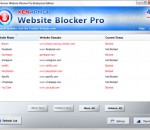
Website Blocker Pro is the enterprise software to help you instantly Block any website on your computer from all web browsers and applications.
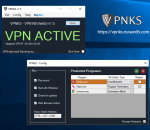
VPNKS is a free standalone VPN Kill Switch for Windows that automatically stops all traffic and data from leaking out and exposing your internet activity when your VPN connection drops. When activated, all traffic is blocked to protect your privacy and no data will be sent over your unsecured internet connection. No sneaky trial periods, no limits!
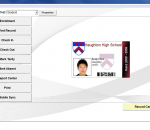
Track student attendance and tardiness, issue tardy slips and hall passes, assign warnings and detention. Parents can receive e-mail notification of any infraction occurred.