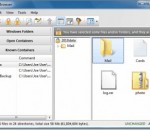
Advanced Folder Encryption is a fast data encryption and password protection software for Windows. It can simultaneously encrypt, lock and password protect your files and folders in an easy and reliable way. It integrates directly with Windows Explorer, enabling encryption, decryption, viewing and editing of any file with just a few clicks of the mouse.
Encrypt and convert CHM to exe with password protected, prevent from editing, copying and printing. You can only convert chm to exe without password, and you can also set a password with PC-binding to your users. Only you can create open password for your users. Easily distribute CHM files and protect it.
Pword is an application for storing passwords and small bits of information in a secure, easily accessable place. Currently available for Windows with plans for other platforms. It is still in early Alpha development.
Easily navigate the file system of your iTunes backup with a powerful file browser. Extract and recover lost iPhone contacts, SMS, photos, videos, notes, WhatsApp, Viber, and more data from iTunes backup files.
Have some sensitive information on your computer and worry about the data leakage one day? Now with Jihosoft Eraser, you can permanently remove sensitive data from your hard drive by overwriting it several times with carefully selected patterns.
Appnimi RAR Password Unlocker is designed to let you search for passwords of protected RAR files. This program guarantees the most complicated passwords recovery. Appnimi RAR Password Unlocker allows to search for the password of the protected RAR file using Brute Force algorithm. After recovering the password it will extract the files to a destination folder.
iSunshare Outlook Email Password Genius is the easy-to-use Outlook email password recovery tool for free download, which enables users to recover all saved email account password from Microsoft Outlook, including Gmail, Hotmail, Outlook, Live email, and etc.
Prevent v 1.0 is a freeware app which runs on all Windows. If you don’t want anyone deleting or renaming or messing around with your data, maybe your younger sibling, then Prevent may be able to help you.
Best Disk Lock can secure data by locking disks in three different levels - elementary, intermediate and advanced lock. After a disk is locked, it can be hidden in the computer. The advanced-locked disk will be hidden completely, which means it cannot be found in any environment. USB devices control feature includes two parts: disable USB devices and set USB devices as read-only. Other enhancements like system settings, system tools and more.